
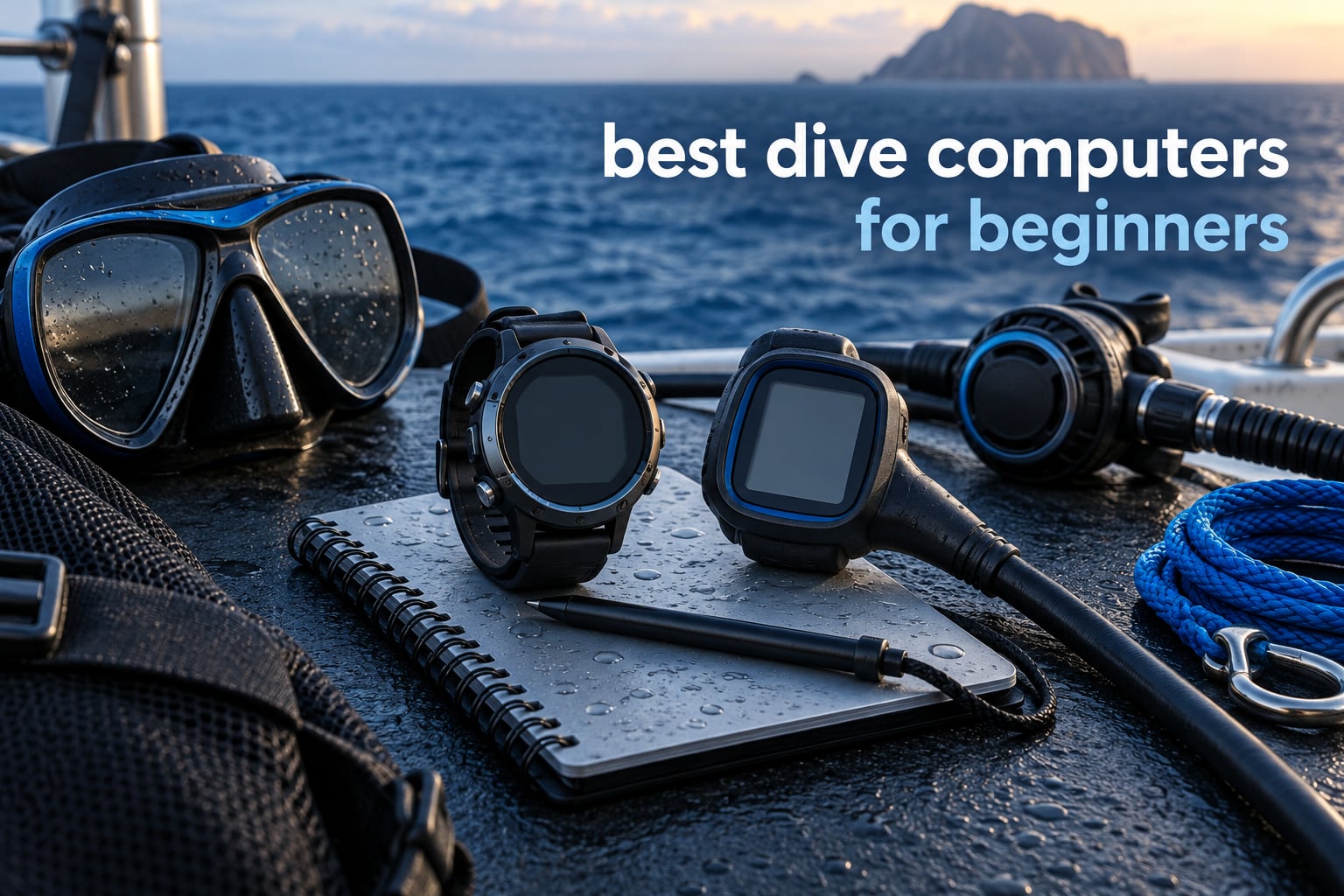
Choosing your first dive computer should not require a diving engineering degree. The best dive computers for beginners are the ones with a big readable screen, a simple menu, and no features you will never touch. After comparing ten wrist and console models on readability, button feel, battery strategy and gas support, the Shearwater Peregrine is the one I recommend to almost every new diver. The Cressi Leonardo 2.0 G2 is the sensible money pick, and the Garmin Descent G2 wins if you want one watch for diving and daily life.
Every certified diver needs a computer on every dive. It replaces the guesswork of a physical table with a running model of how much nitrogen your tissues are holding, and it tells you in real time how much time you have left at depth. That is a lot of responsibility to hand to a gadget with a menu you do not understand yet, so the beginner-friendly models below focus on legibility, forgiving controls and reliable logging over technical flexibility.
This roundup is written for people who are new to scuba, not for divers who are already running mixed gas trimix. I looked at screen size and backlight, how many buttons you have to find with cold hands, whether the battery is rechargeable or replaceable, whether nitrox up to 50 percent is supported, and how the decompression model behaves on a typical 18-metre recreational dive. I left out the air integration hype until you actually need tank pressure, and I called out where a “more advanced” model is a step backwards for a nervous beginner.
Here is the short version. Buy the Shearwater Peregrine if you want the most readable display and the longest software support in this group. Buy the Cressi Leonardo 2.0 G2 if you want a proven, heavily reviewed first computer without spending top-tier money. Buy the Mares Puck Pro EZ if you want the fewest controls to learn. Everything else in this list earns its place for a specific reason, and I explain that reason for each one.
Table of Contents
Top 3 Picks for Best Dive Computers for Beginners

Shearwater Peregrine
- Full colour LCD
- Two-button navigation
- About 30 hours per charge
- 120m depth rating

Cressi Leonardo 2.0 G2
- Single-button control
- Air Nitrox Gauge modes
- 44mm LCD
- USB and infrared logs

Garmin Descent G2
- 1.2 inch AMOLED screen
- Sapphire lens
- Up to 27 hours in dive mode
- Multi-GNSS entry tagging
The Shearwater Peregrine takes the top spot for one reason: it is the only watch in this roundup where you can glance at it once and read everything without pressing anything. Full colour, high resolution, and a two-button layout that behaves predictably with gloves on.
The Cressi Leonardo 2.0 G2 has the deepest review history of any model here, with more than 3,500 ratings. That matters for a first purchase because it tells you how the unit behaves after a few seasons rather than after a few weeks.
The Garmin Descent G2 is the pick for divers who dive maybe twenty times a year and swim, hike and paddleboard the other three hundred and forty-five days. It is the most expensive option here, and the reason is the smart functions, not the diving.
All Ten Dive Computers at a Glance in 2026
| Product | Specifications | Action |
|---|---|---|
| Shearwater Peregrine |
|
Check Latest Price |
| Cressi Leonardo 2.0 G2 |
|
Check Latest Price |
| Garmin Descent G2 |
|
Check Latest Price |
 Cressi Donatello Cressi Donatello |
|
Check Latest Price |
 Suunto D5 Suunto D5 |
|
Check Latest Price |
 Cressi Raffaello Cressi Raffaello |
|
Check Latest Price |
 Mares Puck 4 Mares Puck 4 |
|
Check Latest Price |
 Mares Puck Lite Mares Puck Lite |
|
Check Latest Price |
 Mares Puck Pro EZ Mares Puck Pro EZ |
|
Check Latest Price |
 SCUBAPRO Luna 2.0 AI SCUBAPRO Luna 2.0 AI |
|
Check Latest Price |
Two quick notes on this table before the individual reviews. First, only four of these ten include a digital compass, and none of the four is required for recreational diving on a marked site. Second, three models here use a replaceable battery and six use a rechargeable cell, which is the single most important difference for travel diving and I explain it in the battery guide below.
How We Picked These Dive Computers
We compared ten models against a beginner-first checklist rather than a spec sheet. That means display legibility at depth carried more weight than feature count, and button simplicity carried more weight than air integration.
Readability was judged on screen size, contrast, backlight behaviour and how much information is visible at a glance. Button feel was judged on how many controls you must find underwater and whether the buttons are large enough to locate through a glove cuff. Battery strategy was judged on whether you can fix a dead unit yourself far from a dive shop.
We also weighted review volume heavily. A dive computer with thousands of ratings has a known failure pattern, or a known absence of one. A model with fifteen ratings is a coin flip, and we say so where that applies rather than hiding it behind a star rating.
Finally, we checked gas support and depth rating against real recreational limits. Every model here handles air. All ten handle nitrox to at least 50 percent, which is more than most beginners will use in their first year but is the point at which a computer stops feeling undersized.
1. Shearwater Peregrine – Best Overall Dive Computer for Beginners
Shearwater Research Peregrine Dive Computer
Full colour LCD
Stainless steel case
120m depth rating
About 30 hours per charge
122g
Pros
- Bright high resolution colour display
- Two-button navigation works with thick gloves
- Rechargeable battery handles multi-dive days
- Cloud app makes log review effortless
Cons
- No air integration or digital compass at this level
- Display surface scratches if the protective sheet is skipped
- Higher outlay than entry-level single-button models
The Peregrine is the answer to the question I get asked most often, which is whether a top-tier Shearwater is overkill on a first computer. It is not, and the reason is the screen. A full colour LCD at high resolution means the numbers are legible through a mask, in low light, at depth, without squinting at a 44 millimetre monochrome window.
Navigation uses two 316 stainless steel buttons, which sounds like nothing until you compare it with a touchscreen. Two buttons means you can find them without looking, and you can confirm a setting with a physical click instead of hoping a wet finger registered. The menu structure is state-aware, so the button does the sensible thing for the screen you are on rather than dumping you into a full list.
Battery life is quoted at about 30 hours per charge at medium brightness. On a typical two-dive boat day that means one charge covers the whole trip, and the wireless USB charging station in the box means you are not hunting for a proprietary cable. I like that you never have to think about opening the case or worrying about a seal failing after a cell change.
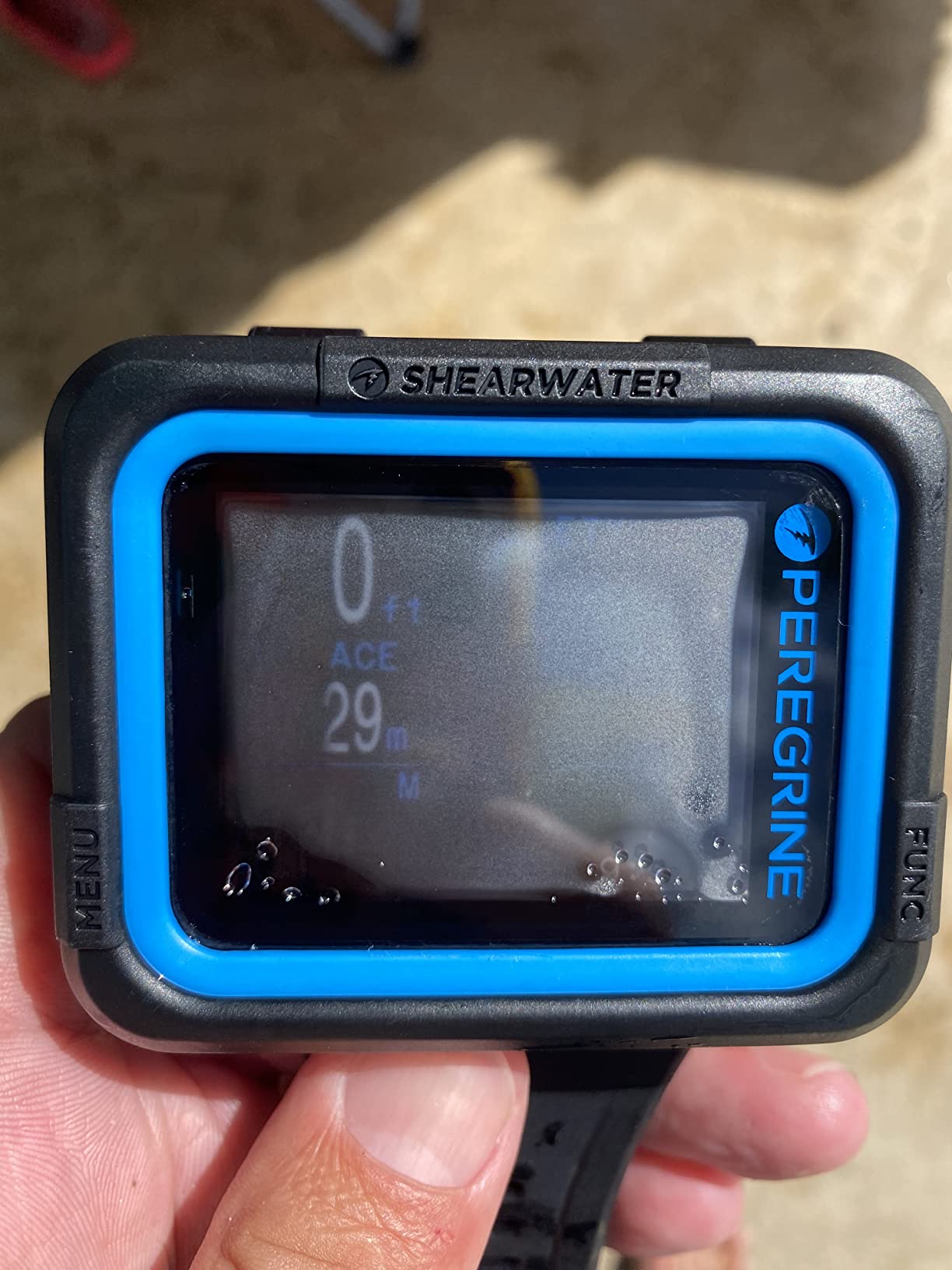
The stainless steel case is a genuine step up from the plastic bodies on the entry-level models, and at 122 grams it does not feel like a brick on a small wrist. The silicone band is standard, so swapping straps later is easy. The 120 metre rating covers every recreational dive you are likely to do with plenty of margin.
Both planners are included, so you can check a no-decompression limit or build a decompression plan directly on the watch. Bluetooth pairs with the Shearwater log app and stores your dives in the cloud, which matters more than it sounds: if the watch gets lost or damaged, your logbook does not go with it.
There is no air integration and no digital compass on this model. For recreational diving on a boat with a known site that is a non-issue. If you plan to navigate by compass or you want remaining gas at a glance, this is not the watch and I would look at the Garmin Descent G2 or a Suunto instead.
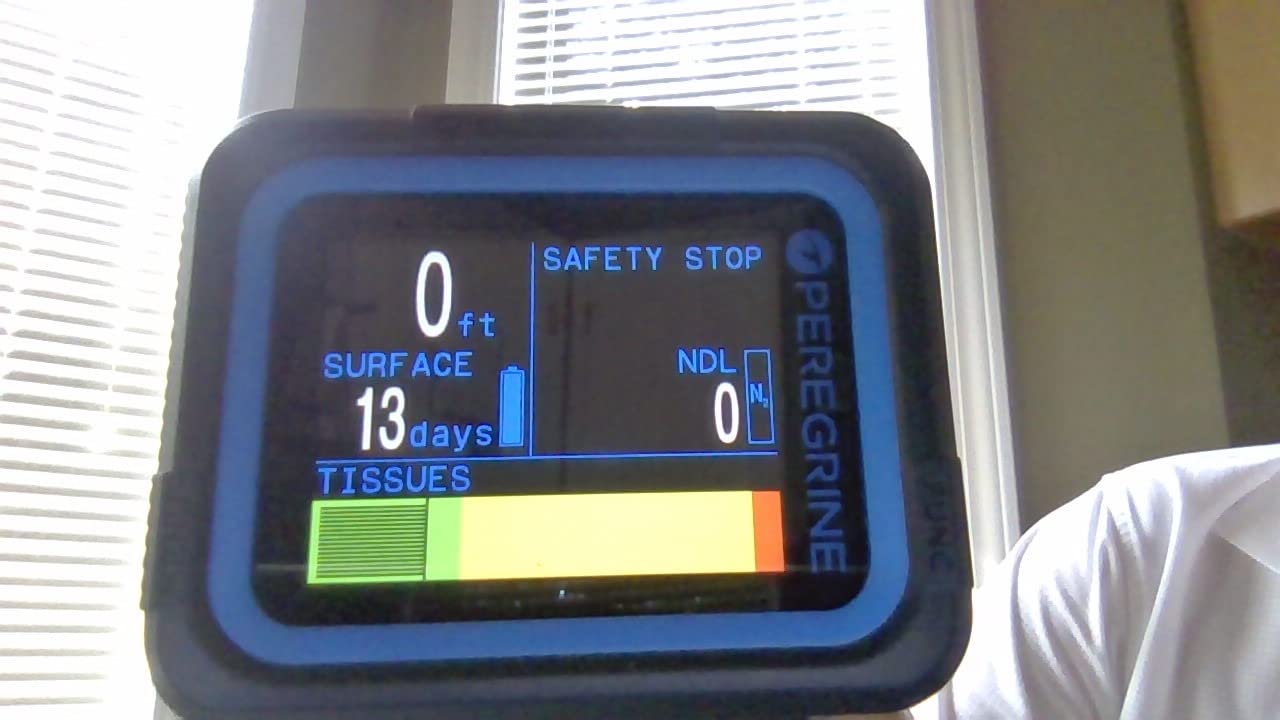
What the Peregrine does well for a new diver
Once it is in dive mode, the primary data is displayed without scrolling: depth, dive time, no-decompression limit and temperature are all readable from the home screen. A new diver should not be pressing buttons mid-dive to find out how much time they have.
The colour display also changes how alarms feel. A violation or an approaching no-stop countdown is drawn in a colour that stands out immediately, which removes a lot of the cognitive load of reading a row of identical digits.
Where it is the wrong choice
At this price you are not getting air integration or a compass, and buyers occasionally assume a flagship-tier price means a flagship-tier feature set. It does not, and that gap is what makes it a sensible entry point rather than a compromise.
Reviews also flag that the display surface marks easily if you skip the factory protective sheet. That is a handling habit, not a defect, but it is worth knowing before the first boat trip.
2. Cressi Leonardo 2.0 G2 – Best Value Entry-Level Dive Computer
CRESSI Leonardo 2.0 G2 Dive Watch, One-Button Air Nitrox Gauge, White/Black
44mm LCD
Plastic case
Silicone band
Single-button control
200g
Pros
- Most reviewed model in this roundup with 3500+ ratings
- Single-button menu is simple underwater
- Air Nitrox and Gauge modes
- Transfers logs to iOS and Android
Cons
- No air integration or digital compass
- Small 44mm screen beside modern rivals
- Button-driven menus need practice
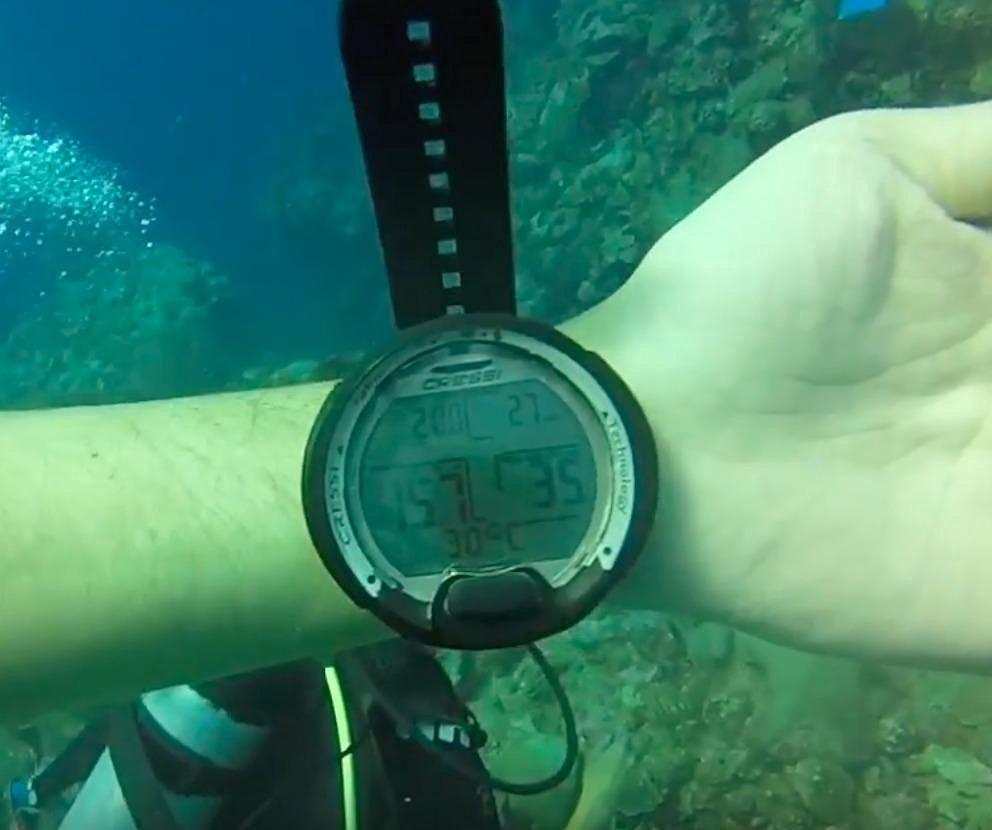
The Leonardo 2.0 G2 is the dive computer most beginners end up with, and there is a straightforward reason: it has been on the market long enough that dive shops, rental fleets and instructors all know it cold. A rental operator who hands you a computer you recognise removes one variable from your first dive.
With more than 3,500 ratings averaging 4.2 stars, this is the most thoroughly tested model in the roundup. That volume cuts both ways. Buyers routinely note that it feels dated next to colour-screen wrist computers, and the 44 millimetre LCD on a plastic case is visibly smaller than what you get from a Peregrine or a Descent.
What you get instead is the simplest possible control scheme. A single button does everything, and you can learn the whole menu in a pool session. For a diver who is still working out how to breathe from a regulator, a one-button interface is a genuine kindness.
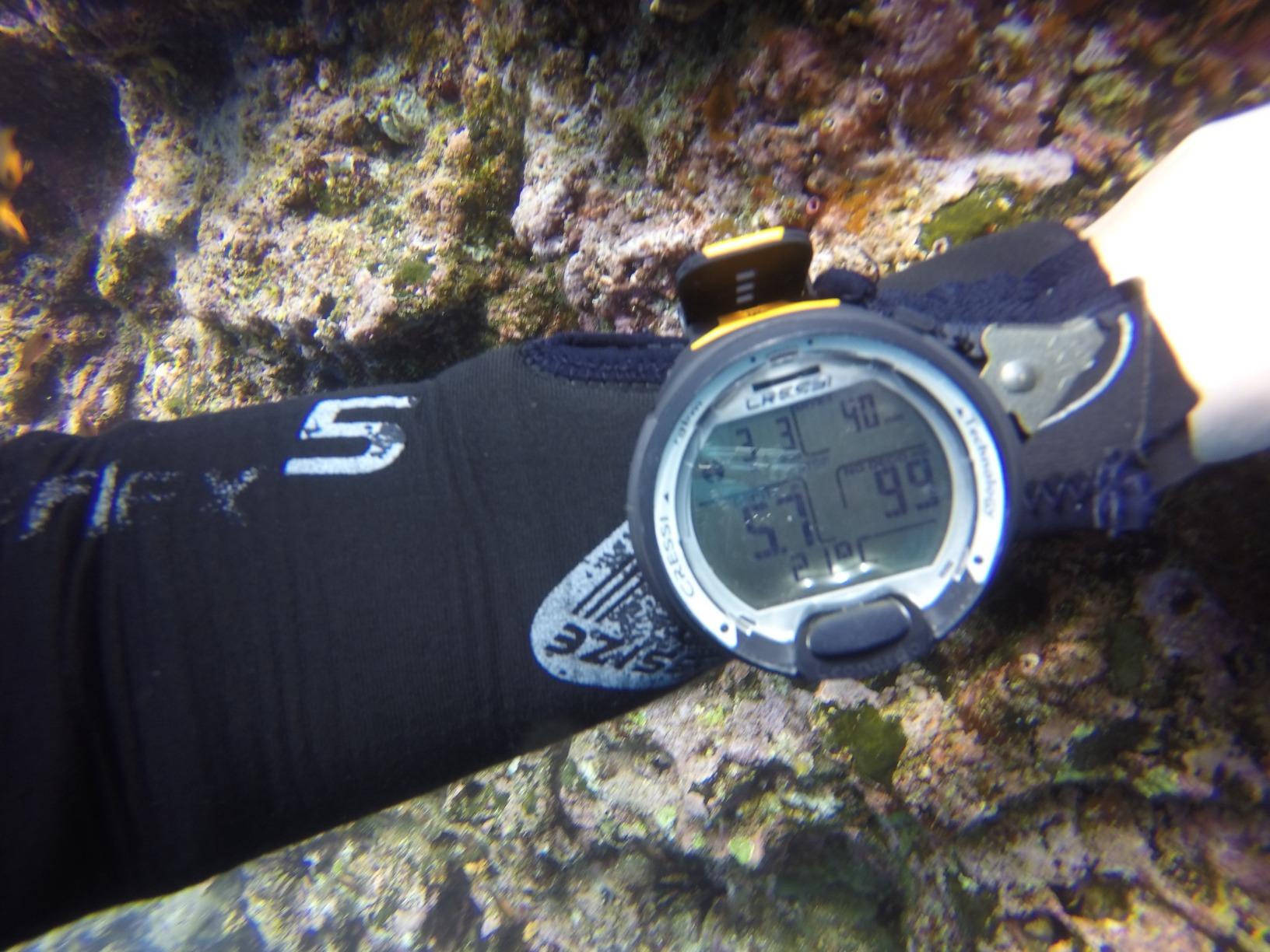
Three dive modes cover everything a recreational diver needs: Air, Nitrox and Gauge. Gauge mode is just a depth and time instrument, which is handy if you ever want to free-dive or check a site without running a decompression model.
Both visual and audible critical alerts are included, so if you blow past your no-decompression limit you get a beep and a symbol rather than having to interpret a number that quietly went negative. That single feature is worth more to a beginner than any of the planning tools on expensive units.
Log transfer works over USB and infrared, and the data lands in the Cressi app on iOS or Android. There is no Bluetooth on this model, which means the transfer is a cable or a line-of-sight link rather than a wireless sync, but it works reliably and it is the same app the more expensive Cressi models use.
Where the Leonardo 2.0 wins
If you dive on a boat with a computer already on the rental bench, this is the one most likely to be in the box. Familiarity with the interface before the water is worth a surprising amount on a first dive.
It also handles nitrox out of the box, so if your resort offers enriched air you do not need a second purchase later in the season.
Where it frustrates divers
The screen is small. If you are over 40 and starting to reach for reading glasses, the 44 millimetre display is the single biggest reason to step up to a colour unit, and it is the reason this model does not carry the top spot.
There is also no compass and no tank pressure. That is fine for a resort reef dive and a problem for anyone planning a shore dive away from a boat.
3. Garmin Descent G2 – Best for Divers Who Use One Watch for Everything
Garmin Descent™ G2, Watch-Style Dive Computer, 46mm, Black
1.2 inch AMOLED with sapphire lens
45.5mm case
Up to 27 hours in dive mode
2.3 ounces
Pros
- Crisp sapphire-lens AMOLED screen that reads well at depth
- Compact 45.5mm body suits small wrists
- Multi-GNSS entry and exit marking with compass
- Up to 10 days as a smartwatch
Cons
- 1.2 inch screen looks small to some buyers
- Several buyers treat it as a backup rather than a primary
- Highest cost in this roundup
The Descent G2 answers a question no dedicated dive computer addresses: what do you wear on the days you are not diving. It runs notifications, contactless payments, heart rate, sleep tracking and training metrics, and it still logs dives with up to 27 hours of dive-mode battery. For a diver who swims, hikes or paddles regularly, that combination is genuinely useful rather than a gimmick.
Underwater, the 1.2 inch AMOLED with a sapphire lens is bright, high contrast and easy to read at depth. The sapphire is the upgrade that matters. A plastic lens on a dive watch is a scratch magnet, and scratches on a dive watch screen are permanent because nobody replaces them.
At 45.5 millimetres on the case and 2.3 ounces, it is smaller and lighter than previous generations of the range, which addresses the most common complaint about big dive watches on smaller wrists.
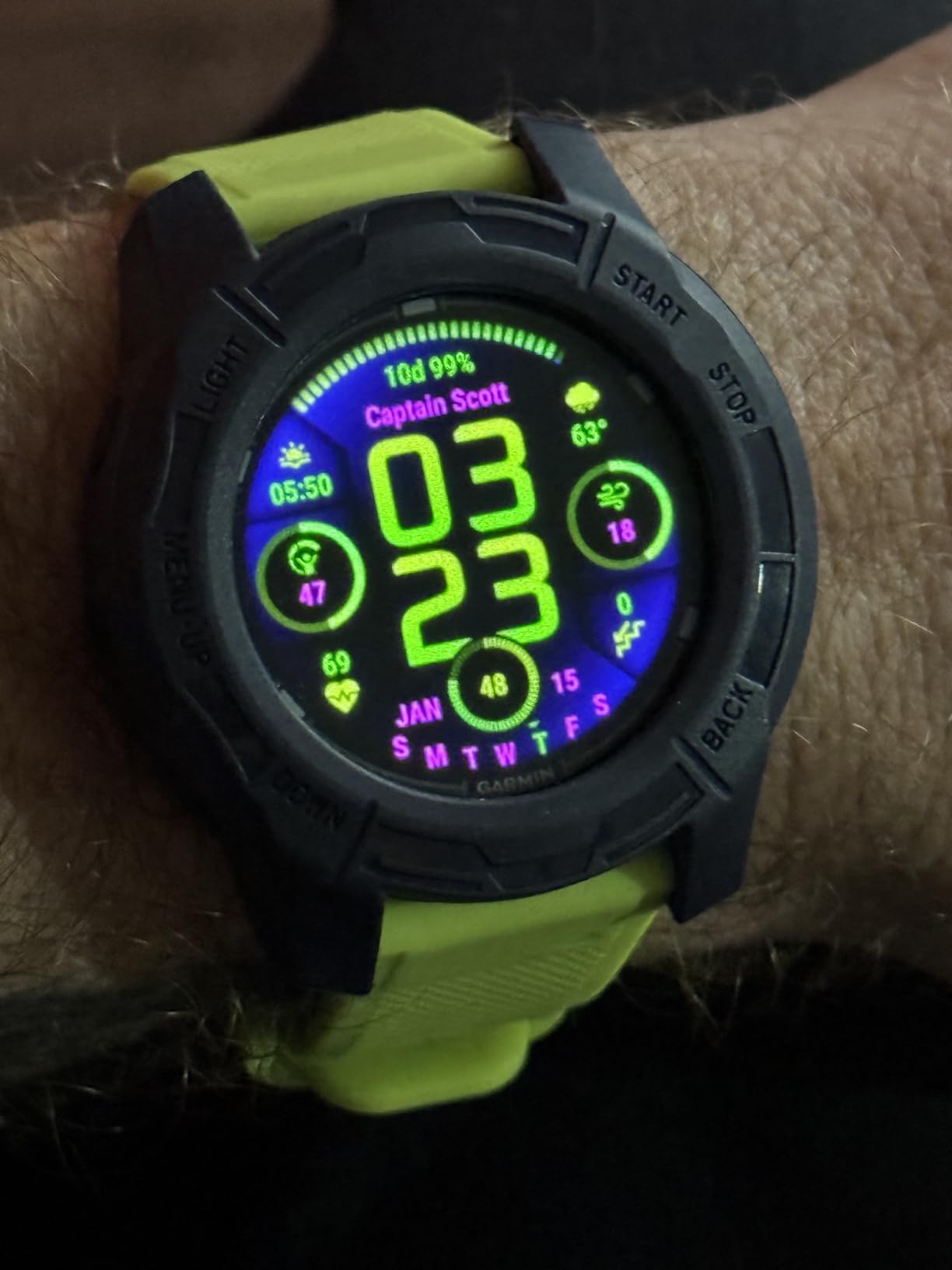
Multi-GNSS positioning tags your surface entry and exit points, which is genuinely useful for shore diving and for boat operators who surface in a current. The built-in compass covers the navigation gap that leaves dedicated units without one.
It supports recreational, advanced, technical, freediving and pool apnea modes, so the watch you learn on will not stop being relevant if you progress. The housing, bezel and buttons are made from recycled ocean-bound plastics, which is a manufacturing detail rather than a performance one but worth knowing.
The Garmin Dive app stores and reviews logs from the watch, and free band options and watch faces are available through Connect IQ, so the dive computer does not have to look like a dive computer all week long.
Why it earns a place on this list
For a diver who wears a fitness watch the other 345 days, consolidating the two removes a piece of gear and one more thing to charge before a trip. The dive features here are real, not a token mode on a running watch.
It is also the most future-proof unit in the roundup. If you move to nitrox, deeper recreational dives or freediving, the modes are already there.
Why a beginner might skip it
Reviews are split on the 1.2 inch display. Several buyers consider it better suited as a backup computer than a primary, and returning buyers cite screen size as the reason. If large numbers matter to you, this is not it.
Leaving Pulse Ox on continuously also pulls smartwatch battery from around 10 days down to roughly 7. For a diving-focused purchase that is a minor issue, but it is worth knowing before you start blaming the charge cycle.
4. Cressi Donatello – Best for a Brand New Diver
Cressi Donatello Scuba Dive Computer, Single-Button Interface, Black/Silver
LCD display
Silicone band
150m rated
Bluetooth and infrared
129g
Pros
- Repeatedly described as one of the easiest computers to operate
- Activates automatically on submersion
- Clear display in low light
- Air nitrox freedive and gauge modes
- Bluetooth log transfer to the Cressi app
Cons
- No digital compass or air integration
- One review reports water ingress under the bezel
- Menus take several sessions to fully understand
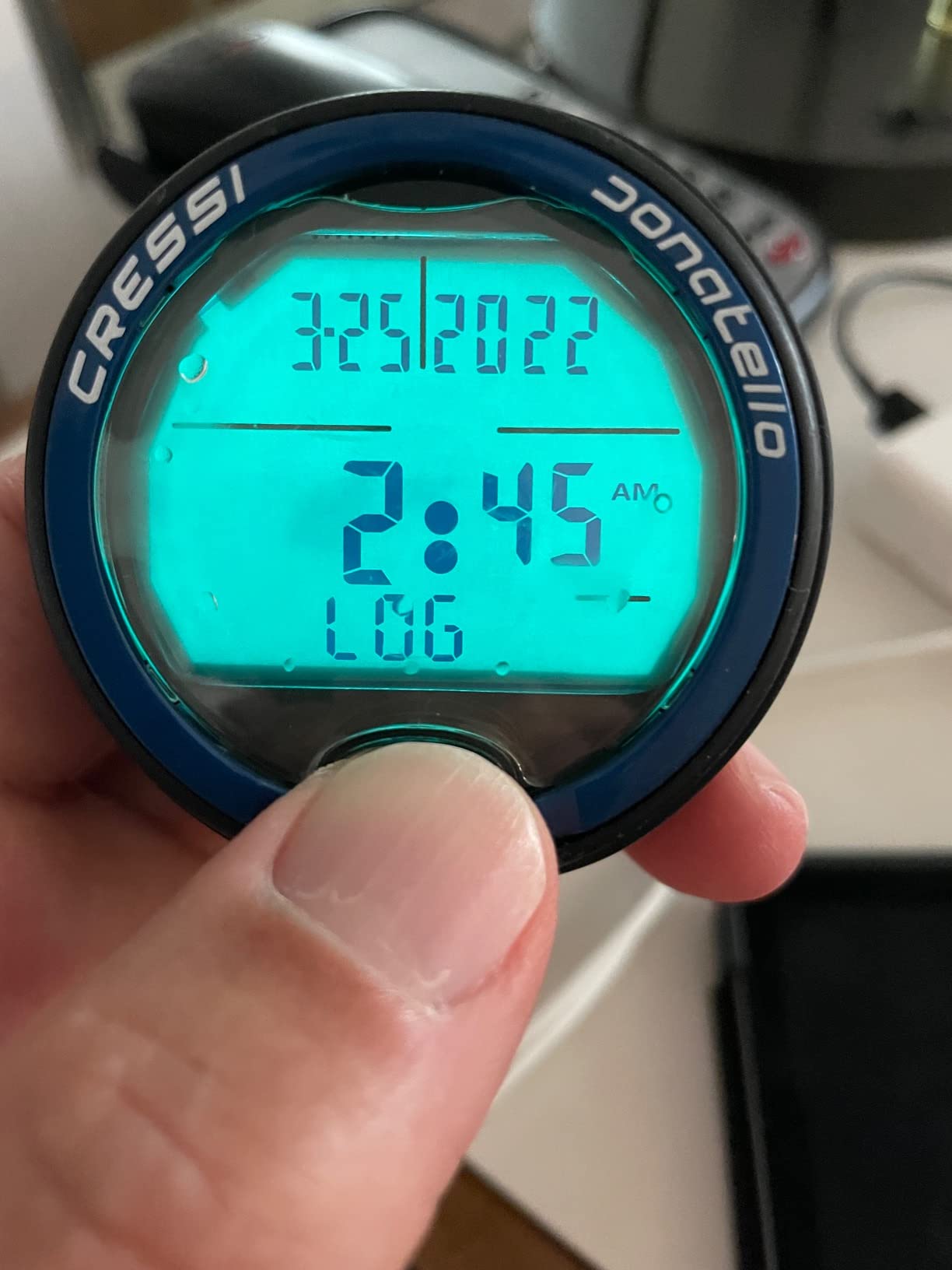
The Donatello exists for a specific moment: the diver who does not want to read a manual before their first dive. Owners who log roughly twenty dives a year report skipping the walkthrough and simply using it, which is the highest compliment you can pay an entry-level instrument.
It is rated to 150 metres, deeper than most of the dive-only models here, and it switches on automatically when it detects submersion. That auto-activation removes the single most common first-dive mistake, which is jumping in with a computer still in surface mode.
Air, nitrox and gauge modes are joined by a dedicated freedive mode with selectable deep stops, so the same watch works for an apnea session at the shallow end of the pool.
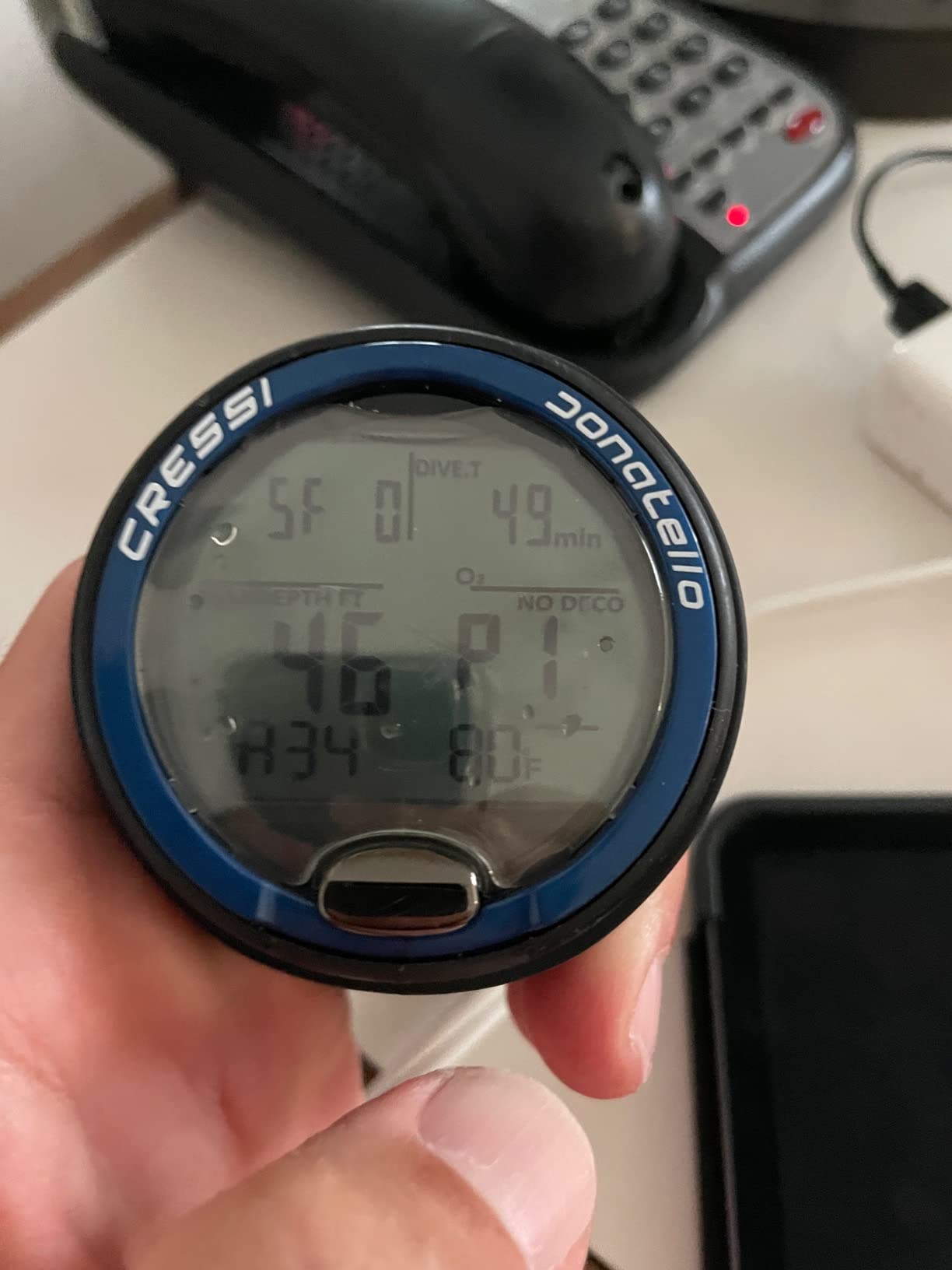
Unlike the Leonardo 2.0, this model has Bluetooth alongside infrared, and it transfers to the same Cressi app on Windows, Mac or phone. You get a full digital logbook from a watch that costs less than a weekend of rental fees.
At 129 grams it is lighter than most of the plastic entry models, which matters on a long surface interval when a heavy watch slides around on a thin wrist.
One reviewer documents water ingress under the bezel after extended use, along with slow warranty response. A single report in 608 ratings is not a pattern, but it is the kind of thing to raise with the seller promptly rather than hope it resolves itself.
Why the Donatello suits a nervous beginner
Reviewers consistently describe the display as clear and legible in low light, which is where recreational diving usually happens on an overcast afternoon. You do not need a bright screen to read a no-decompression limit at 18 metres on a grey day.
Auto-activation on submersion and a single physical button mean there is nothing to configure mid-dive. It is the least demanding unit in this roundup to operate.
Where it falls short
Menus take several study sessions before they click, according to reviews. That is normal for any computer, but it does mean a first pool session is worthwhile rather than optional.
Some units arrive with scratched screen protectors or torn inner packaging, so inspect the box before you leave the store. There is no compass and no tank pressure, which limits it to recreational dive planning on a known site.
5. Suunto D5 – Best for Wireless Tank Pressure
SUUNTO D5 Dive Computer, Color Display 100m Waterproof, All Black
Colour display
100m rated
Compass and vibration alarms
Wireless tank pressure
150g
Pros
- Very readable centred colour display
- Compact and light on smaller wrists
- Intuitive three-button menu
- Suunto app gives detailed profiles and air-use data
Cons
- Rechargeable battery gives roughly 4 usable dive hours
- Black finish scratches visibly
- Display customisation is PC-only
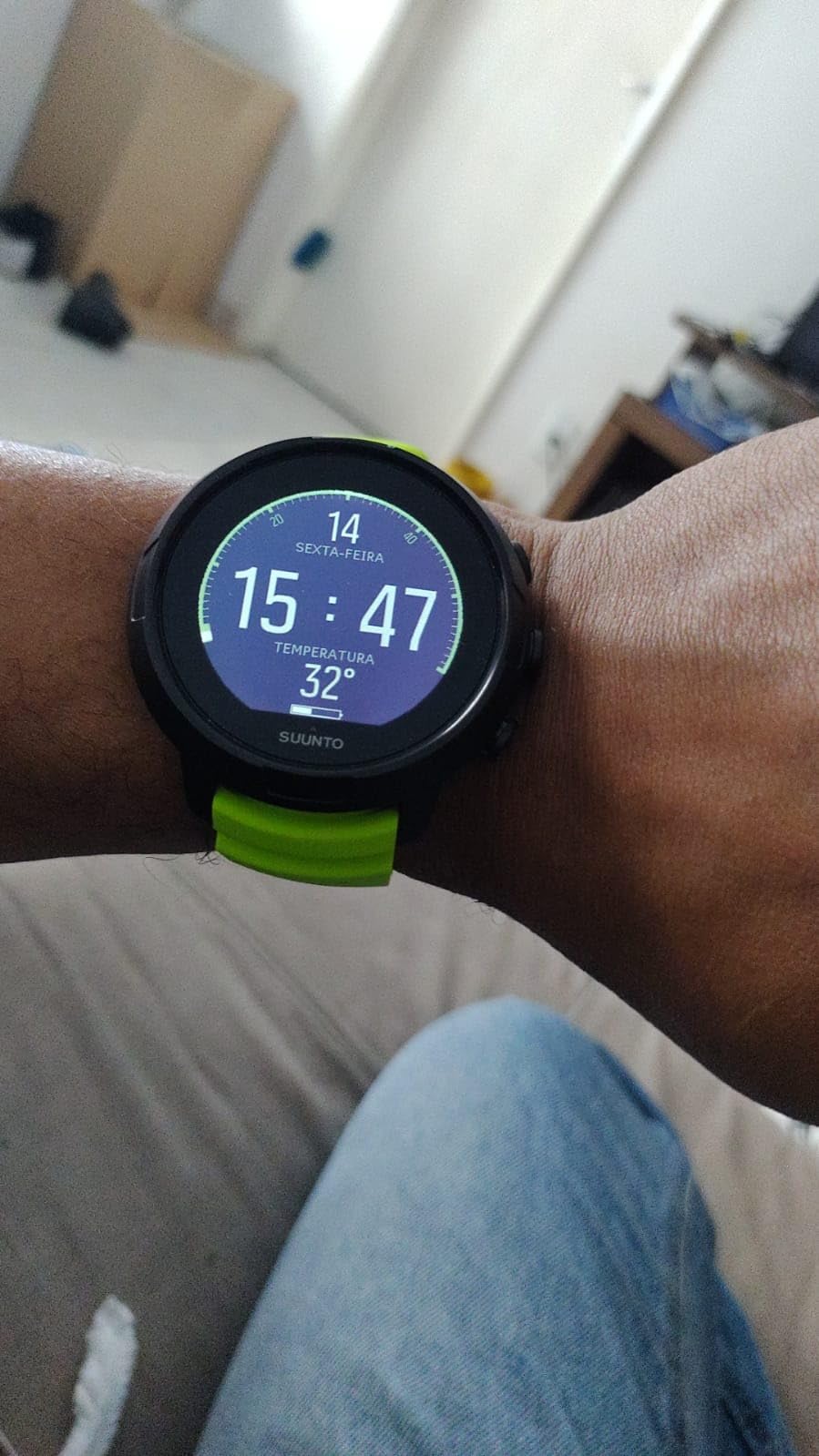
The D5 is the first watch in this roundup that reads tank pressure wirelessly, and for a recreational diver that is the feature that actually changes what you do underwater. Knowing remaining gas turns gas management from a guess based on feel into a number you can plan against.
The display is the real story though. A colour screen with a centred information layout means depth, time and remaining gas all sit in a predictable place, and reviewers describe it as very readable underwater. It is rated to 100 metres, which covers recreational depth with room to spare.
Three buttons with vibration alarms for depth, time and ascent rate mean you can feel a warning through the strap rather than only seeing it. Vibration matters in low visibility when you are focused on something else.

The Suunto app gives detailed dive profiles with temperature and air-use data over wireless mobile connection, and the watch is genuinely compact at 150 grams. Divers on smaller wrists consistently single out the size as a reason they chose it.
There is a digital compass, which none of the first three recommendations include, and scuba plus freedive modes with up to 12 hours of dive time logged per session.
The battery is the reason this is not higher. Reviews describe roughly 4 usable dive hours before a low-battery banner appears, and that banner can block the display. On a three-dive boat day that is a real constraint unless you charge between dives.
When the air integration pays off
Wireless tank pressure is most useful on deep or repetitive recreational dives, on nitrox when you are managing a partial pressure, and on any dive where the boat crew is not right there to check your gauge. In those situations the D5 removes a step from your dive plan.
The compass also makes it a better choice than the Peregrine for divers who will do some shore or night work without a boat overhead.
Where to watch out
Charge planning is the big one. A rechargeable unit that gives you four usable hours is fine for a single dive and frustrating for a full day of repetitive dives.
Reviews also flag a scratch-prone black finish, only two watch faces with PC-only customisation, a fixed automatic safety-stop range between 2.4 and 6 metres that cannot be adjusted, and an occasional unit that never powered on correctly. Check the power before you leave the shop.
6. Cressi Raffaello – Best for Built-In Navigation
CRESSI Raffaello Dive Computer, Built-in Digital Compass, Black/Yellow
LCD display
Built-in digital compass
Bluetooth and USB
Lithium ion
9.6 ounces
Pros
- Built-in compass removes a separate instrument
- Large screen is easy to read at depth
- Bluetooth and USB log review
- Air nitrox mixed gas apnea and gauge modes
Cons
- Touchscreen needs more care underwater than buttons
- Steeper learning curve and higher cost than basic Cressi
- Only 221 ratings so less field history
The Raffaello is the step-up Cressi model, and the step up is mostly navigation and gas planning. A built-in digital compass removes the wrist compass from your kit entirely, and RGBM-based mixed-gas planning handles multiple mixes rather than a single nitrox setting.
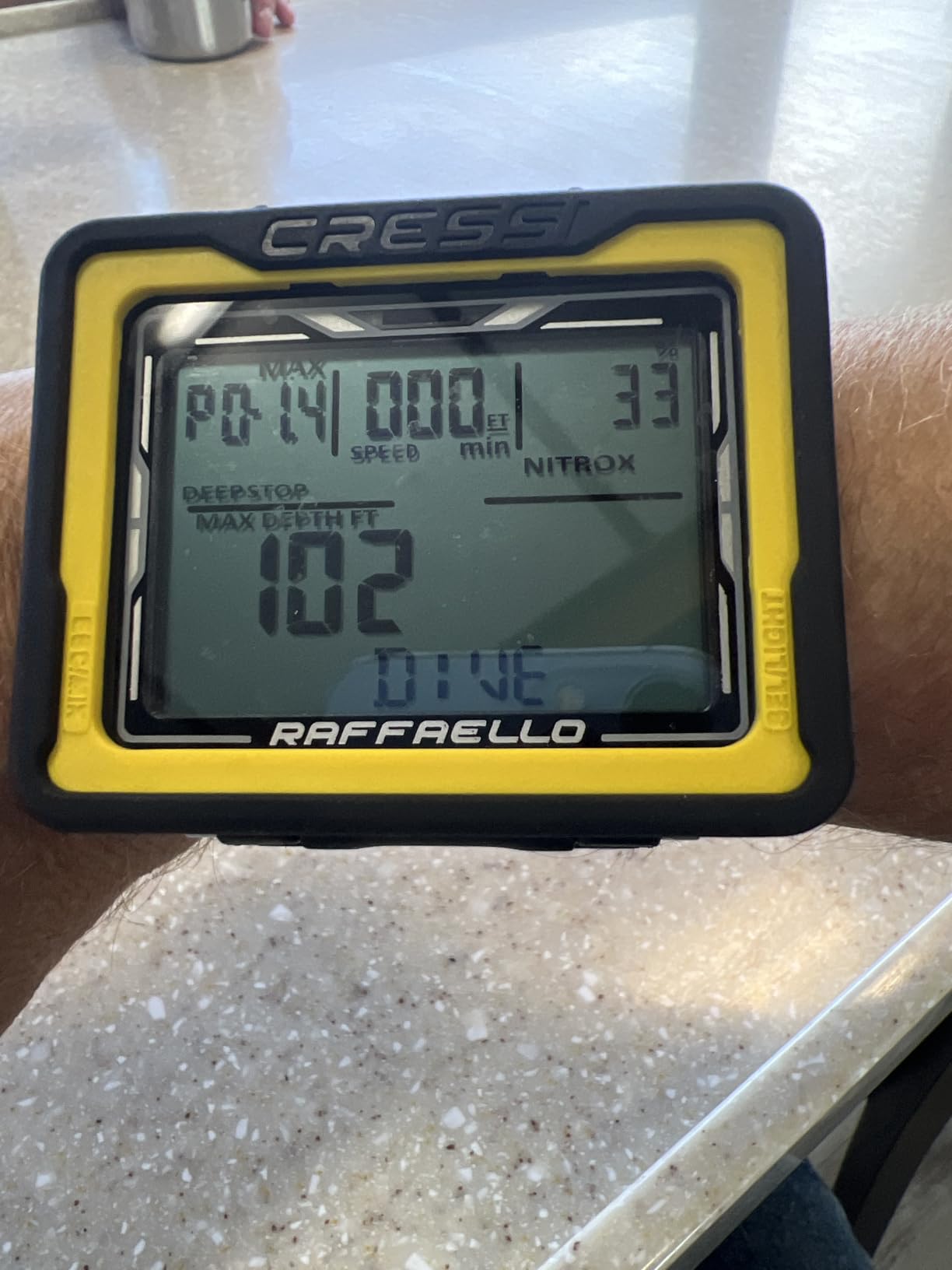
The big screen is the reason divers pick it. It reads clearly at depth, which is the same complaint that pushes people away from the smaller Leonardo 2.0.
It covers apnea, scuba and gauge modes, and adds oxygen indicators and ascent speed alarms on top. Those alarms are the safety-net features a beginner appreciates, because they call attention to a mistake before the consequences arrive.
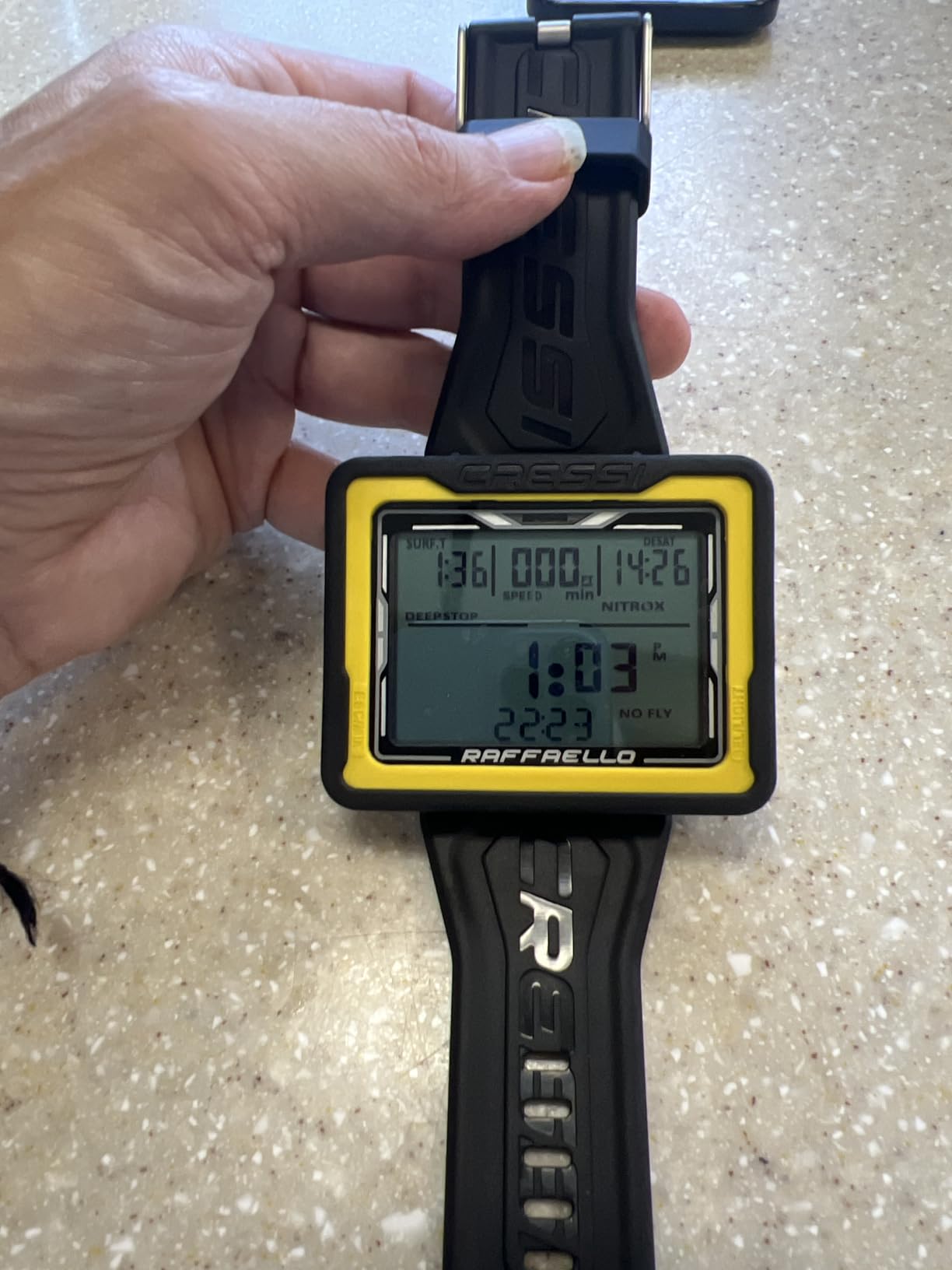
Bluetooth and USB both work for moving dive history to a phone or PC, which gives this model more connectivity options than the older Cressi units in this list. A 2-year limited warranty is included from the manufacturer.
The trade-off is the interface. This is a touchscreen, and unlike a smartwatch, a wet touchscreen underwater is a compromise rather than a convenience. Reviews specifically call out that it needs more care than one-button models.
At 9.6 ounces it is heavy for a wrist instrument, and the case is larger than the models below it. On a small wrist that combination can feel intrusive under a wetsuit cuff.
Who should pick the Raffaello
Divers doing shore entries, night dives or any situation where a compass matters will appreciate the built-in unit more than any other feature on this watch. Mixed-gas planning is also useful the moment you start carrying a second cylinder or stage bottle.
The large display is a genuine win for anyone who has started wearing reading glasses, which is an under-discussed buying factor for divers over 40.
Who should pass
If your instinct is that more buttons mean more clarity underwater, a touchscreen is the wrong direction. It costs more than the simple Cressi models, has a steeper learning curve, and carries a smaller body of owner feedback at 221 ratings.
It is also rated to only 30 metres for general water resistance in the specifications, which is worth verifying against how deep you actually plan to go before you commit.
7. Mares Puck 4 – Best for Adjustable Gradient Factors
Mares Puck 4 Wrist Dive Computer | Entry-Level Watch-Style One Button Control Underwater Scuba Diving Computer, Black/Blue
Chip-on-glass display
Buhlmann with gradient factors
Single-button control
Pros
- Buhlmann ZH-L16C with user-adjustable gradient factors
- Single-button control is simple underwater
- Chip-on-glass display is legible in low light
- Multigas support for up to three gases
Cons
- Only around 67 ratings
- 13 percent one-star reviews hint at early reliability issues
- No digital compass or air integration
The Puck 4 is the most algorithm-capable watch-style computer in this roundup for the money. It runs Buhlmann ZH-L16C with user-adjustable gradient factors, which is a step above what most entry-level units offer, and it supports up to three gases including a bottom timer mode.
A chip-on-glass segment display is not going to win a styling contest, but it is very legible in low light. Segment displays light specific segments rather than backlighting an entire panel, which is why they stay readable when a colour screen washes out.
Single-button control with a decompression planner and digital logbook keeps the operation simple, and Bluetooth transfers to the Mares app without a cable.
Gradient factors are the dial that controls how conservative the computer is. On a model like this you can start conservative and open it up as you gain experience, which turns the computer into a teaching tool rather than a fixed opinion.
The catch is the thin evidence base. With around 67 ratings, and 13 percent of them one star, there is not yet enough long-term ownership data to say how this unit behaves after three seasons. A brand new listing should be bought with that in mind.
What makes it interesting
Having adjustable conservatism on a watch-style computer at this level is unusual. Most models in the same category use a fixed algorithm and give you no say.
Multi-gas support including bottom timer also means the watch keeps working if you move toward a stage bottle later.
What to watch
There is no compass and no tank pressure, so this is a recreational dive planning watch rather than a gas management instrument.
The one-star percentage is the reason I would test it thoroughly in a pool before taking it on a trip rather than after. If it suits you, the feature set is genuinely strong for the category.
8. Mares Puck Lite – Best for Travel With a Replaceable Battery
Mares Puck Lite Scuba Diving Computer | Watch-Style One Button Control Underwater Freediving Scuba Diving Computer – Black
800-segment chip-on-glass display
Bluetooth
Replaceable battery
100-dive logbook
Pros
- Replaceable power source lasting about 100 dives
- 800-segment high-contrast display
- Bluetooth syncing with Mares and SSI apps
- Single-button navigation usable with gloves
Cons
- Only 29 ratings
- No digital compass or wireless tank pressure
- Segment display shows less at a glance than colour
The Puck Lite is the answer for a diver heading somewhere without a charger. Its user-replaceable power source runs about 100 dives, and a CR-type coin cell costs almost nothing in any town with a pharmacy. That removes the single most common reason a rechargeable dive computer fails on a liveaboard.
Underneath, it is a properly specified computer. Buhlmann ZH-L16C with customisable gradient factors, nitrox from 21 to 50 percent, an 800-segment chip-on-glass display and a 100-dive logbook with graphs and profiles.
Single-button navigation is listed as glove-usable, which matters more in cold water than the specification suggests. Bluetooth handles firmware updates and data syncing with the Mares and SSI apps, so the logbook is not trapped on the watch.
The trade-off is the display. A segment screen shows less at a glance than a colour unit, and the information density is lower. If you are the kind of diver who wants every metric visible simultaneously, this is not it.
There is also no compass and no wireless tank pressure. On a resort trip with a boat that monitors gas, that is acceptable. On a remote expedition, a mechanical or regulator-mounted gauge becomes more important.
Who this is for
Liveaboards, backcountry travel and multi-week trips where you cannot reach a dive shop. Carrying two spare coin cells in a dry tube is cheaper insurance than any battery you can recharge.
It is also a good second computer to keep at home as a backup, which is a practice safety agencies recommend.
What to watch
With 29 ratings there is very little owner feedback, so treat the long-term reliability picture as unknown rather than proven. A 4.3 average on a small sample is encouraging but not conclusive.
Bluetooth here is for firmware and log syncing rather than any smart functions. There is no app ecosystem beyond the dive log.
9. Mares Puck Pro EZ – Easiest Setup of the Roundup
Mares Puck Pro EZ Wrist Underwater Scuba Dive Computer (414177) – Depth, Decompression, Temperature, Time Dive Data Display
High-contrast screen
Buhlmann with dual gradient factors
Single-button control
12 ounces
Pros
- Praised as easy to read set up and program for beginners
- Replaceable battery covering about 100 dives
- Bluetooth log transfer is quick and painless
- Single-gas nitrox from 21 to 50 percent
Cons
- Stripped down EZ edition has fewer settings
- Ascent alarm is overly sensitive and cannot be reduced
- Only 15 ratings
The Puck Pro EZ has the highest average rating in this roundup at 4.8 stars, but it comes from 15 ratings. I want to be straight about that, because a small sample produces flattering averages. What those owners do say is consistent: it is easy to read, easy to set up and easy to program, and it does not ask an infrequent diver to overspend.
Under the simplified case you still get Buhlmann ZH-L16C with dual gradient factors and single-gas nitrox from 21 to 50 percent. A high-contrast screen shows depth, time, temperature and no-deco limits, all of which is the information a recreational diver actually needs.
The replaceable power source covers about 100 dives, and Bluetooth handles log uploads. Single-button control keeps the underwater operation simple.
The main complaint is the ascent alarm. It triggers after only a couple of feet of ascent and cannot be turned down, which means a beginner will be getting a beep on every normal ascent until they learn what it is telling them. That is a poor first impression for a computer sold as beginner friendly.
The EZ edition is also a stripped version of the earlier Puck models, with fewer settings available. If you later want to adjust conservatism deeply, this is not the platform.
Why it still makes the list
On pure simplicity of setup it competes with the Donatello, and it adds a replaceable battery and Bluetooth that the Cressi does not have. For a diver who dives ten times a year and never touches a setting, that is a good trade.
Polycarbonate construction keeps it light at 12 ounces without feeling cheap in the hand.
Why I would hesitate
Fifteen ratings is not enough to trust a safety instrument with a long service life, and the fixed over-sensitive alarm is a genuine usability problem rather than a preference.
If you want Mares engineering with a better-documented pedigree and a less temperamental alarm, the Puck 4 is the version to buy.
10. SCUBAPRO Luna 2.0 AI – Best for Tank Pressure and Bottom Time
SCUBAPRO Luna 2.0 Air Integrated (AI) Wrist Scuba Dive Computer with Bluetooth®, Includes Case and Silicone Arm Strap
High-contrast LCD with LED backlight
Two-button control
Wireless air integration
Bluetooth
Pros
- Air integration gives true remaining bottom time
- Large characters on a high-contrast screen
- Slim oil-filled housing sits comfortably on the wrist
- Two Buhlmann algorithm options
Cons
- Backlight reported as weak on low-light dives
- Reports of a used unit and a delaminating display
- Only 21 ratings
The Luna 2.0 AI is the one watch here that computes true remaining bottom time rather than just displaying tank pressure. Tank pressure tells you how much gas is left; remaining bottom time uses your actual gas consumption rate to tell you how long the gas will last at your current depth and workload. For a recreational diver on nitrox, that is the single most useful safety number a computer can give you.
The wide high-contrast LCD uses large characters with a bright LED backlight, and the thin, low-profile oil-filled thermoplastic housing is comfortable on the wrist. Two buttons handle both the menu and the control, and setup is straightforward.
You can choose between two Buhlmann algorithms, including a predictive multi-gas option, so the computer is not locked into a single conservative model if you later start carrying a second cylinder.
Bluetooth connects to the SCUBALOG mobile app, and the package includes the computer, a case, a silicone arm strap and a read-first manual. A 2-year warranty applies.
The weak point in reviews is the backlight. Several owners describe it as too dim for low-light dives, which is exactly the condition where a large-character display should be shining. That is a real limitation, not a preference, and it is worth checking in a dark room before you commit.
There are also fulfilment complaints: a used unit sold as new, and a display arriving with delamination. With only 21 ratings, the long-term picture is not established either way.
Where it justifies itself
Air integration at this level is the feature that changes dive planning. If you are diving nitrox below 30 metres, or on repetitive dives, remaining bottom time turns a table lookup into a live number.
The oil-filled housing is slim for an air-integrated watch, which usually means bulkier cases to fit the radio and sensor hardware.
Where it does not
At this stage in your diving you will get more out of a better screen than a transmitter. If gas is managed conservatively within recreational limits, the air integration is optional rather than necessary.
What a Beginner Dive Computer Actually Needs
You need six things, and everything else is a bonus. A readable display, simple controls, air and nitrox support, a reliable ascent rate alarm, a logbook that exports, and a battery you can manage. If a model satisfies those six, it is a perfectly good first dive computer no matter what it does not have.
Readability comes first. Look at the numbers, not the marketing. Can you read your no-decompression limit at a glance while looking at a buddy rather than at the watch? Are the characters large enough for your eyesight, especially if you are over 40? The small 44 millimetre screens on the cheapest units are the most common reason divers upgrade within a season.
Controls should be physical. A button you can find by feel works with cold hands and a glove cuff. A touchscreen underwater is a compromise. This is why the one-button Cressi and Mares models and the two-button Shearwater and SCUBAPRO rank so well with beginners, even when a touchscreen model has better specs on paper.
Gas support should not be an add-on. Nitrox from 21 to 50 percent is the practical range, and all ten models here cover it. If a computer cannot be set to your actual cylinder mix, it is giving you numbers based on gas you are not breathing.
Depth rating should exceed your plans. Recreational diving is capped well below 40 metres in most agencies, so 100 metres of rating gives generous margin. Just do not confuse a 100 metre rating with a 100 metre depth plan.
Logging should be easy. A logbook you cannot export is a logbook you will not keep. Bluetooth or a USB connection to an app means your dive history outlives the watch, which is genuinely useful when you eventually move to a different brand.
Battery strategy should match your travel. More on this below, because it is the decision people regret getting wrong.
Display Types: Segment Screens Beat Colour Screens for New Divers
A segment display lights only the specific segments that form a number, so it stays sharp and readable in low light with very little battery drain. A dot-matrix or colour screen shows more information at once and looks more modern, but it draws more power and can wash out in bright conditions or glare from a boat canopy.
For a beginner, a segment display with large characters is not a compromise. It is the more reliable way to read a number quickly. The Mares Puck 4, Puck Lite and Puck Pro EZ use chip-on-glass segment displays for exactly this reason, and reviewers single out their low-light legibility.
A colour screen earns its place when you want a full dive profile, customisable layouts and a watch you can wear with a shirt on. The Shearwater Peregrine, Suunto D5 and Garmin Descent G2 all deliver that, and all three also light well enough to read underwater.
The AMOLED in the Garmin Descent G2 is the brightest and sharpest of the three, and the sapphire lens protects it. A sapphire-coated screen is worth paying for on a dive watch because screen scratches are permanent and highly visible at exactly the moment you need to read the watch.
Presbyopia deserves its own note. If you are over 40 and reaching for reading glasses, do not compromise on screen size to save money. The people who regret cheap computers most are almost always the ones who wanted a bigger display and bought the smallest one available. The Raffaello and the Peregrine are the two to look at first.
Battery Guide: Rechargeable vs User-Replaceable
A rechargeable dive computer is sealed, so you cannot swap the cell. A user-replaceable model takes a coin cell or similar, and you carry a spare. Neither is better in general, and the right answer depends on where you dive.
Choose rechargeable if you dive from a home base with a charger nearby, and you will be on the water two or three times a week. The Peregrine’s roughly 30 hours per charge covers a full multi-dive day comfortably, and a sealed case is one less sealing surface to fail.
Choose replaceable if you travel to places without power, run liveaboards, or already own a dive light that outlasts your watch. The Puck Lite, Puck Pro EZ and similar models run about 100 dives per cell, and spare cells cost almost nothing.
Watch the endurance numbers, not just the type. The Suunto D5’s roughly 4 usable dive hours before a low-battery banner appears is a real constraint on a repetitive dive day, and the banner itself can obscure the display. A sealed rechargeable watch that dies mid-itinerary with no charger nearby is the worst outcome available to a diver.
Our practical rule: if more than half your dives happen away from a reliable charger, buy the replaceable battery. If most of your diving is local, buy the better screen.
Buhlmann and RGBM Explained Simply
A decompression algorithm is a mathematical model of how much nitrogen your body tissues absorb at a given depth and time. The computer tracks sixteen or more tissue compartments, each with its own loading and off-gassing rate, and uses the slowest one to tell you how long you can stay.
Two families dominate. Buhlmann ZHL-16C is used by Shearwater, Mares, SCUBAPRO and Garmin. Suunto uses RGBM, and Cressi’s higher models are RGBM-based. Buhlmann models are physically derived from tissue half-times; RGBM is an empirical model refined through testing and revision.
Here is the answer to the question every new diver asks: one is not safer than the other. Differences in the no-decompression time you see compared with your buddy are a settings and algorithm difference, not a defect. A computer showing nine minutes where another shows eleven is telling you about two different models of the same body.
What you can control is conservatism, and gradient factors are how Buhlmann models do it. Lower gradient factors produce more conservative output with more mandatory stops. Higher values allow longer no-stop times. The Mares Puck 4, Puck Lite and Puck Pro EZ let you adjust this, which is why they stand out for divers who want to learn the model rather than accept a fixed opinion.
My advice for a first computer is not to touch the settings at all. Run the default, dive conservatively, and revisit the controls once you have twenty logged dives. The default is deliberately cautious for exactly your stage.
Do You Need Air Integration as a Beginner?
No, not for recreational diving inside your training limits. Air integration shows tank pressure, and a transmitter sends that reading wirelessly to your wrist. It is genuinely useful and it is genuinely optional.
You need it when you are managing gas more precisely than a surface interval check, when a small mistake has a large margin, or when you are far from a boat crew who can monitor your gauge. The Suunto D5 and the SCUBAPRO Luna 2.0 AI both support wireless tank pressure, and the Luna adds true remaining bottom time that accounts for your consumption rate.
You do not need it when you are diving a marked site off a boat with a crew watching bubbles, at recreational depth, on a single gas within your training. In that situation a dive computer without a transmitter is a complete and safe instrument.
Transmitters cost extra on top of the watch and add another thing that can fail or lose its pairing. That is a poor reason to buy one, and a good reason to wait until you have a use for it.
Wrist Computer or Console: Which One Do Dive Shops Accept?
A console computer hangs on a retractor clip and can be used on any hose, usually on the low-pressure side. A wrist computer is what most people picture when they hear the phrase, and it is what you will see on almost every diver at every resort.
For a first purchase, the wrist computer wins. Dive shops rent wrist computers readily, instructors point at your wrist to check your time, and you cannot lose a console in the deep. The wide high-contrast screen on the SCUBAPRO Luna is a good illustration that consoles can be very readable, but they are a second-hand market and the sensor hose position has to be right.
Consoles make sense for photographers, technical divers and anyone switching between multiple cylinders and gases. That is a conversation for year two, not year one.
One practical note: whatever you buy, know that most rental operators hand out the same mid-range wrist models over and over, so your first real computer will be a step up in readability rather than a step up in features.
Setting Up a New Dive Computer in One Sitting
Do this before your first trip, not in the car park. It takes twenty minutes and removes the most common source of first-dive confusion.
1. Set the time, date and time zone correctly. A wrong clock poisons every log you record.
2. Set the altitude. Driving to a dive site at 2,000 metres needs a different pressure reference, and most computers ask about this on the surface.
3. Set your units for depth, temperature and pressure so you are not squinting at the wrong numbers.
4. Confirm the algorithm and leave the conservatism settings at default until you have experience.
5. Enter your dive size, weight and water type if the computer asks. It uses these for surface interval calculations.
6. Set the nitrox percentage to match the actual cylinder fill, and confirm the maximum partial pressure you want to use.
7. Pair the Bluetooth connection to the phone app and confirm a log transfers.
8. Do a shallow pool dive in dive mode, check the numbers make sense, and confirm the computer activates on submersion.
That last step catches auto-activation problems before you are in open water, which is the failure mode that turns a first dive into a confusing one.
What To Do If Your Dive Computer Fails
It is rare and it is survivable, and knowing the protocol in advance is what keeps it from being frightening.
1. Check the screen. Most “failures” are a dead battery or a unit still in surface mode. Some models need a button press to wake.
2. If the display is dead, switch to your dive profile, the water temperature and your buddy. Treat the dive as no-decompression bottom time from the deepest point and do not exceed it.
3. Use your backlight and stay near your buddy for the whole dive. Do not separate.
4. On the surface, ascend normally and wait the appropriate interval before flying or driving up significantly. Nitrox off-gassing still applies even without a computer.
5. Report the failure to the manufacturer or seller immediately. Dive computer failures are treated as safety reports and they drive recalls.
For a second season and beyond, keep a backup. A small segment-display watch on a different battery type costs far less than the dive trip it protects, and it removes the argument entirely. A thin cheap console in the bag is the traditional answer.
Renting vs Buying Your First Dive Computer
Renting is the default for your discovery dives and it is genuinely sensible. You are learning to breathe, to equalise and to stay with your buddy, and a rental computer is one less thing to think about on a boat at 8am.
Buy once you are past your first handful of dives and know you are coming back. The moment that happens, you have a personal profile, a logbook that is actually yours, and a unit you have already configured. Beyond that, renting also means learning to read a stranger’s interface every time, which is precisely the friction a beginner does not need.
If cost is the barrier, note that the entry-level models in this roundup and the mid-range models differ far more in screen quality and battery strategy than in safety function. You are not buying a bargain basement instrument. You are buying between three good options.
Whichever route you take, buy a second inexpensive console or a spare-battery watch and keep it in the bag. That redundancy is the single best value purchase in this entire guide.
Frequently Asked Questions
Which dive computer is the easiest for beginners to read?
The Shearwater Peregrine is the easiest to read in this roundup because its full colour high-resolution screen shows depth, dive time and no-decompression limit together without any button presses. If you prefer a simple segment display, the Mares Puck 4 and Puck Lite use chip-on-glass screens that stay legible in low light. Avoid buying on screen size alone, though. Check whether the numbers are readable through a mask at depth, and if you are over 40, prioritise a larger display rather than saving money on a 44 millimetre screen.
What is the best basic dive computer for beginners?
The Cressi Leonardo 2.0 G2 is the best basic option because it has over 3,500 ratings, a single-button interface you can learn in a pool session, and Air, Nitrox and Gauge modes. For a diver who wants the absolute fewest controls, the Mares Puck Pro EZ is simpler still, though it has far less owner feedback. Basic means readable screen, physical buttons, nitrox support and a logbook that exports, and all three of these models deliver that.
Is a Shearwater Peregrine overkill for a beginner?
No. It is arguably the best-value long-term purchase in this roundup for a beginner, because the readable screen is the feature that removes the most stress from early dives and there is nothing technical to misuse. The caveats are honest ones: it has no air integration and no compass, and it costs more than the entry-level models. If you dive locally and charge between trips, the money is well spent.
Should a beginner buy an expensive dive computer?
Not for features, but yes for the display. Expensive models earn their money through screen brightness, glass quality, build materials and years of software support, not through diving features a beginner cannot use. Air integration, multi-gas planning and technical modes are wasted on a recreational diver. Judge the price tiers by readability and battery strategy instead, and you will rarely regret spending more on a screen you can actually read.
Can I use a smartwatch as a dive computer?
Some dive-rated smartwatches do dive competently, and the Garmin Descent G2 in this roundup is one of them, with a 10 ATM dive rating, a sapphire lens and up to 27 hours in dive mode. The trade-off is that you are buying a general-purpose device that also dives, so the dive menus sit alongside notifications and payments. A dedicated computer is simpler to operate underwater, and it will not be obsolete when the smartwatch ecosystem moves on.
Do I need air integration on a dive computer?
Not for recreational diving inside your training limits, particularly on a marked site off a boat with a crew monitoring gas. Air integration shows tank pressure wirelessly, and the best versions add true remaining bottom time based on your consumption rate. It becomes valuable on deeper dives, on nitrox, or when you are far from supervision. The Suunto D5 and SCUBAPRO Luna 2.0 AI both support it if you want that capability now.
Which dive computer has a replaceable battery?
The Mares Puck Lite and Mares Puck Pro EZ both use a user-replaceable power source that runs about 100 dives per cell, and spare coin cells are inexpensive and widely available. This is the practical choice for liveaboards, remote travel and anywhere without a reliable charger. Rechargeable models such as the Shearwater Peregrine are sealed and offer longer intervals between charges, which suits divers working from a home base.
Is a more conservative dive computer safer?
A more conservative computer gives you shorter no-decompression times and more stops, which reduces the margin for error. That is a genuine safety benefit, but the differences you see between dive buddies are mostly a settings and algorithm difference rather than a defect. Buhlmann and RGBM models will disagree, and both are acceptable. Leave the conservatism settings at default for your first twenty dives and learn to dive within your training before adjusting anything.
What happens if my dive computer dies during a dive?
Check the screen first, since a dead battery or a unit stuck in surface mode are the most common causes. If the display is truly dead, switch to your dive profile, water temperature and your buddy, treat the dive as no-decompression bottom time from the deepest point, and stay close to your buddy for the whole dive. Ascend normally, observe the appropriate surface interval before flying, and report the failure so it can be investigated.
Bottom Line: The Dive Computer to Buy as a Beginner
The best dive computers for beginners share one trait: you can read them at a glance and operate them without thinking. The Shearwater Peregrine wins that contest outright with the most readable display in the roundup, a two-button interface that works in gloves, and rechargeable battery life that covers a full multi-dive day. For a diver who knows they will keep diving, it is the purchase most likely to still be in use a decade from now.
If your budget is the deciding factor, the Cressi Leonardo 2.0 G2 is the smarter entry. Over 3,500 ratings mean you know exactly how it behaves, a single button is the least demanding control scheme available, and Air, Nitrox and Gauge modes cover everything a first season requires. Pair it with a spare console and you are properly equipped.
Choose the Garmin Descent G2 if you want one device for diving and daily life, the Mares Puck Lite if you travel where chargers do not exist, the Suunto D5 or SCUBAPRO Luna 2.0 AI when you want wireless tank pressure, and the Cressi Donatello if you want the fewest controls between you and the water.
Whichever you choose, set it up properly before the first trip, keep a backup in your bag, and dive within your training. The computer is a tool that removes guesswork. It is not a substitute for the skills your instructor taught you, and the best one for a beginner is the one that leaves enough headroom for you to think about the dive instead of the watch.